Fits like custom. Runs like SaaS.
Praxisis Awards runs scholarships, bursaries, prizes and awards on Microsoft Power Platform, in your own Microsoft tenant. Students see the awards they match as soon as they sign in; your staff set the rules, check the student file and choose recipients, without writing code.
Built for universities, colleges and foundations that run scholarships and awards.
How do students find the awards they qualify for?
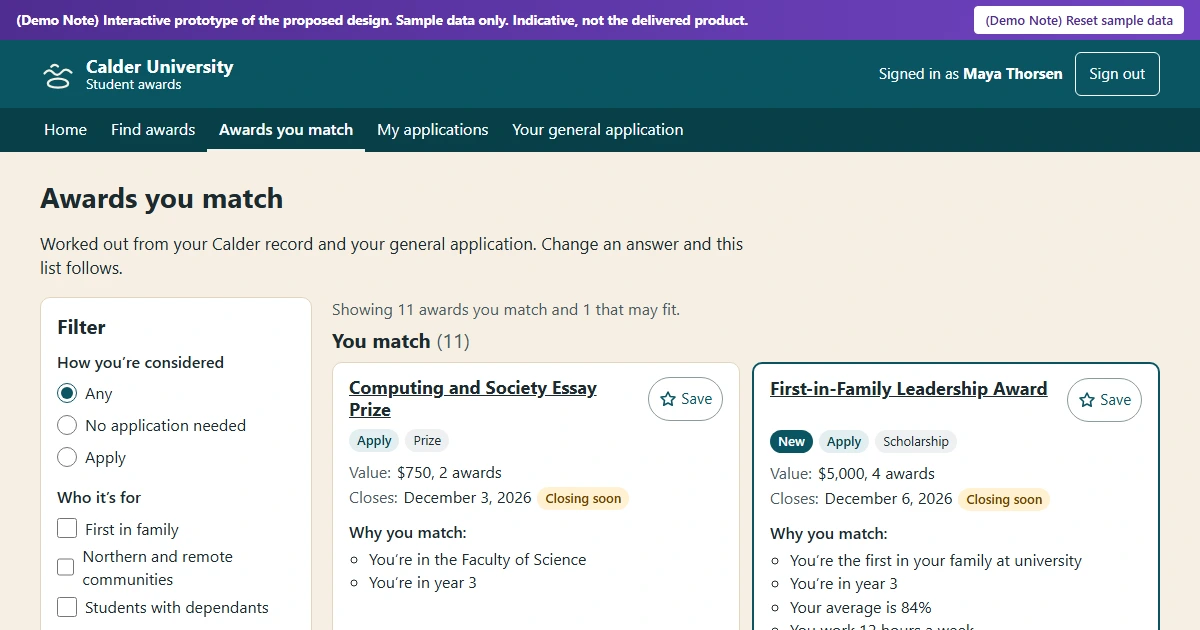
They sign in and the awards are already there. Praxisis Awards matches each student against every open award, using what the university already knows and what the student tells it.
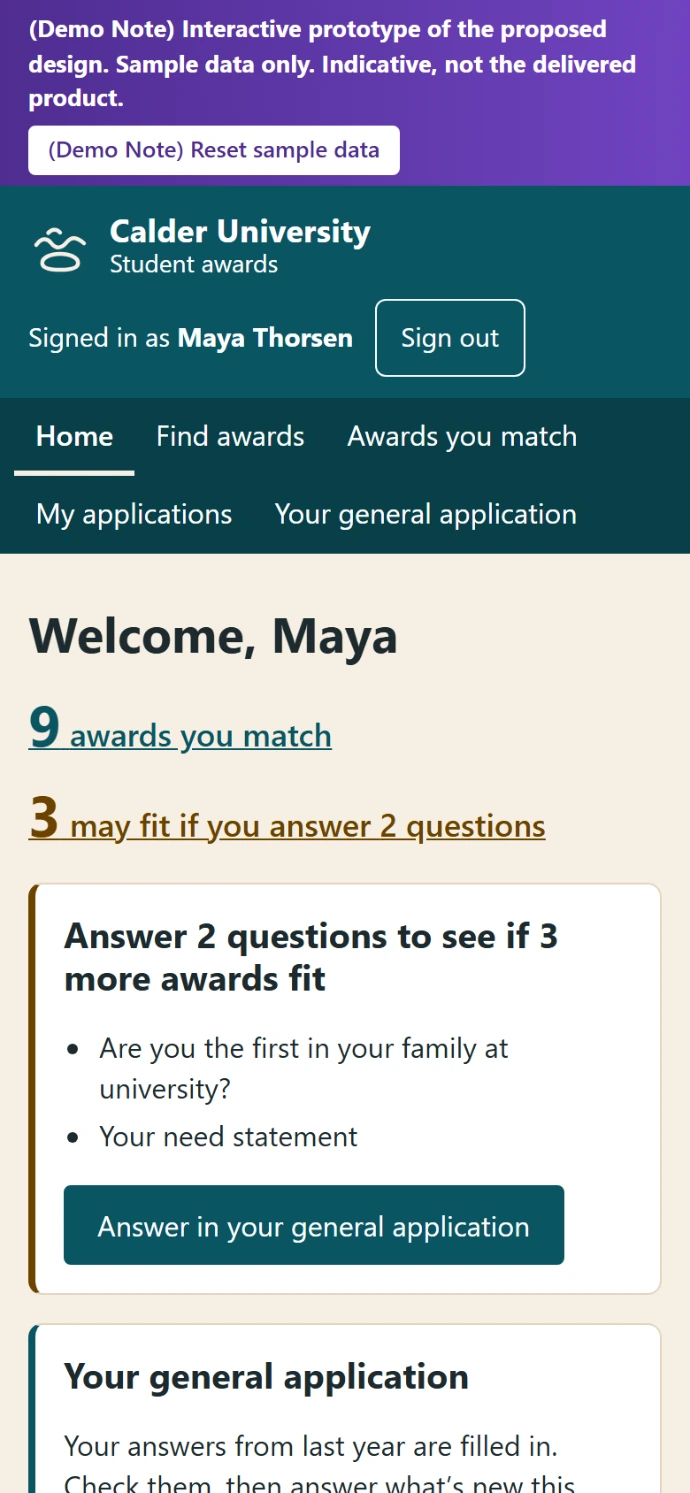
🎯Matched on sign-in — "9 awards you match" before the student types anything, from their program, year, campus and average
❓"May fit if you answer 2 questions" — the few answers that would open more awards, asked once
📝One general application a year — last year's answers come forward, ready to check, instead of a new form for every award
🔎Plain words, not codes — each award says what it's worth, who it's for, what the student already meets and what's due by when
💾Applications that save as they go — documents included, with "1 thing missing" before submitting, never after
📬Everything in one place — applications, awards they're considered for without applying, and offers to accept or decline
So that students find the awards meant for them, richer and faster.
How do staff set up an award?
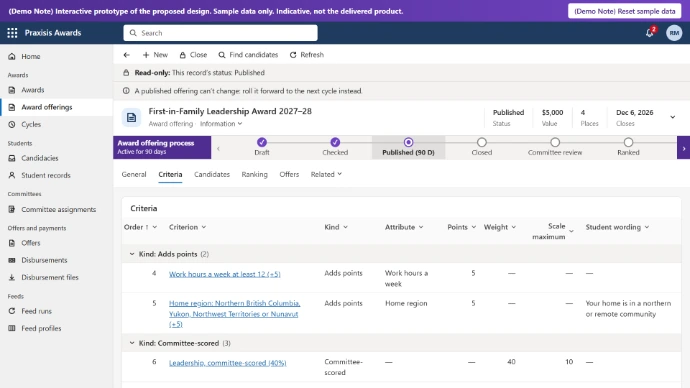
Each award keeps its terms; each year's offering of it carries the rules for that cycle. Staff change them themselves.
🔁Roll forward from last year — every criterion copied; last year's offering stays exactly as it was
🧩Three kinds of criteria — must meet, adds ranking points, and scored by a committee, on any field the student file or the general application holds
✅Checked before it opens — dates, values, the form and the committee checked before publishing
🕵️Every change recorded — who changed what, when, from what to what
⚖️Fair committee review — members declare any interest first, then score against weighted criteria; the chair recommends; the awards office approves or sends back with a note
📅Offers released together — on the day the office chooses, so every recipient hears on the same day
💳Payments finance can trust — amounts per term, and a file with control totals that someone other than its preparer releases
Does it work with our student information system?
Yes, through a nightly file, with no live connection into your student system.
🌙A nightly file in — in a layout your administrator sets up: columns, codes, required values
🧮Every row checked — refused rows say why; the rest load
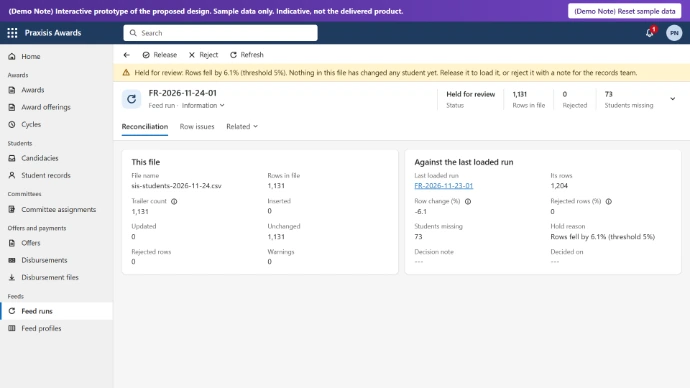
🛑Held for a person when it looks wrong — a file much shorter than last night's, or with too many refused rows, waits before it changes anyone's eligibility
📤Files out — the disbursement file for finance, in the layout finance needs
Now what?
Book a call.
We'll walk you through Praxisis Awards, show how it would fit your awards
and your student system, and answer your questions.
No pitch deck. No obligation..
Start Now Contact us Try Awards Management
