See who knows whom — right on the CRM record.
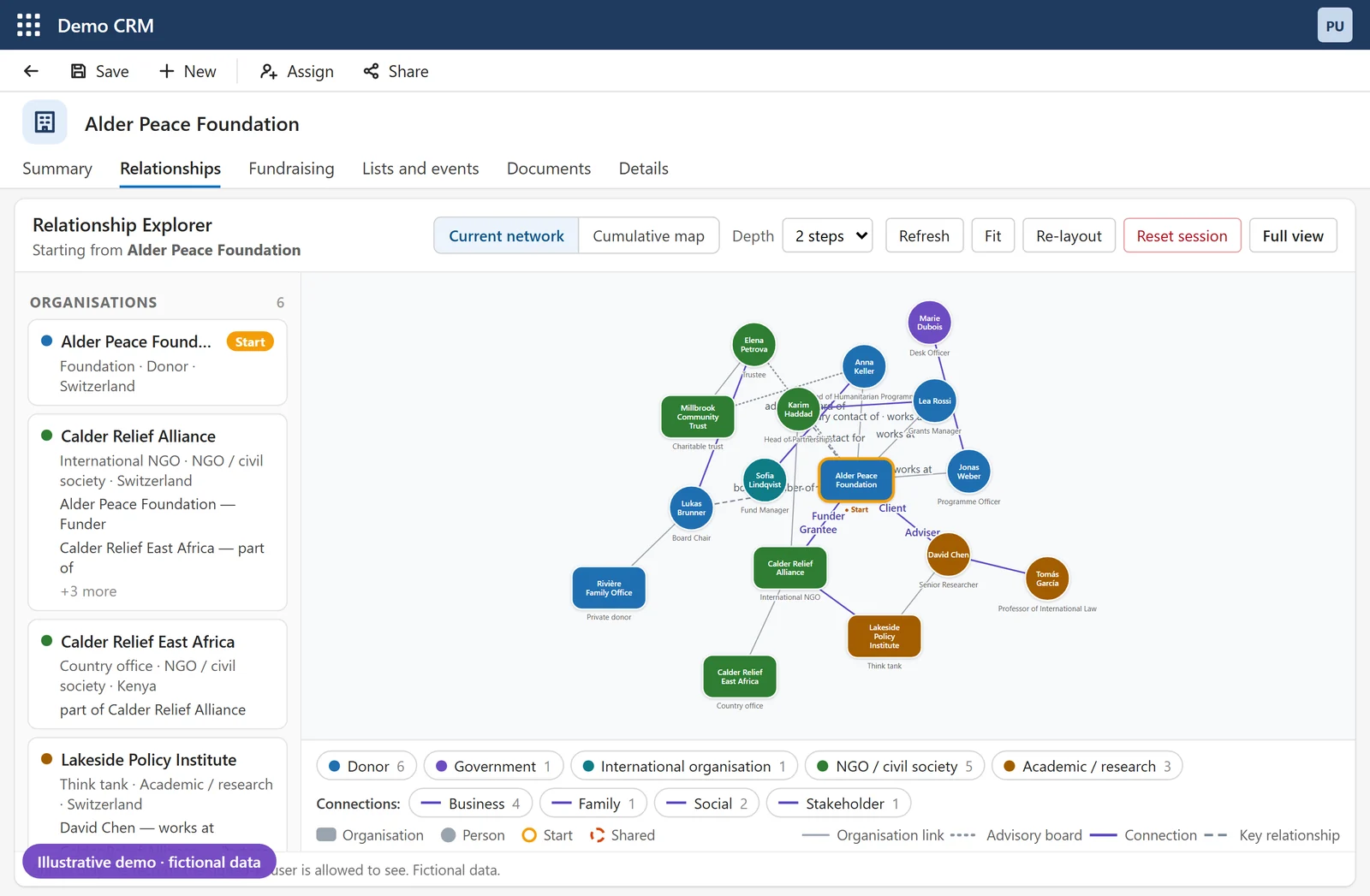
Praxisis Relationship Explorer adds a live relationship map to the contact and organization forms in Microsoft Dynamics 365 and Power Apps. Built for organizations that run on relationships — nonprofits, wealth management firms, credit unions, membership associations and college grant offices — where knowing who is connected to whom shapes the next conversation. Every relationship in one picture.
What if you could...
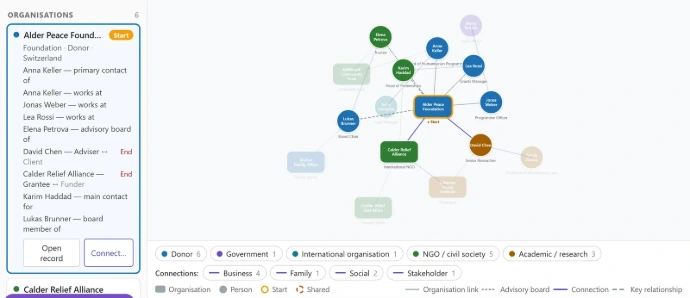
✅ See everyone connected to a contact or organization — in one picture, on the record you already have open
✅ Follow the network in a click — open a connection's own connections, up to three steps out, without leaving the form
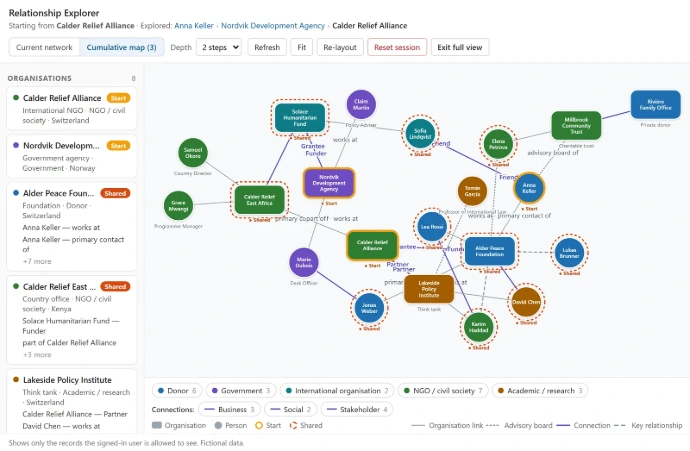
✅ Spot the overlaps — the donors, trustees or introducers that two of your networks have in common
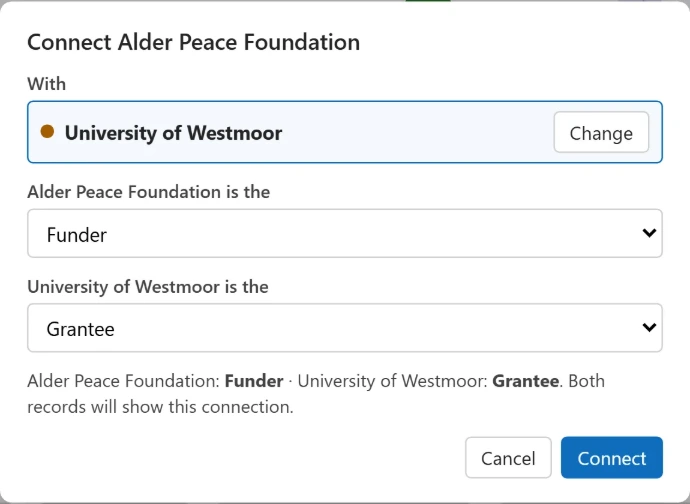
✅ Record a new relationship where you see it — with a role for each side, such as Adviser and Client or Funder and Grantee
✅ Show each person only what they're allowed to see — the map follows the security your CRM already has
So that your team walks into every meeting knowing the relationships around it — not finding out afterwards who introduced whom.
This fits you if you are...
🤝 An organization that runs on relationships — nonprofits and NGOs, wealth management, credit unions, membership associations, college grant and advancement offices
💼 Already on Microsoft Dynamics 365 or Power Apps — your contacts and organizations are in the CRM, but the links between them are spread across forms and lists
🧠 Keeping relationship knowledge in people's heads — who knows whom lives with a few senior staff, and leaves when they do
🔍 Missing the overlaps — you find out two prospects share a board member, or a donor is linked to a partner, after the meeting
📝 Not recording relationships at all — nobody can see them afterwards, so nobody bothers to enter them
If two or more of these describe your team, keep reading. If none of them do, honestly — this isn't for you, and we'll tell you that on the call.
That's not all — included in every deployment:
🛠️ Installation and setup — installed in your test and production environments, and configured for your relationship types, fields and labels
🧭 Relationship roles your team will use — we help you define clear roles and categories (Adviser and Client, Funder and Grantee, Board member and Board) so the map reads well
🎓 Training — a short session for users and administrators, plus a one-page quick guide
🩺 Hypercare after go-live — we watch the first weeks closely and fix what comes up
🔄 Kept current with Microsoft — checked against each Dynamics 365 release wave and updated when needed
🔐 No new security to manage — it follows the access your CRM already gives each person
Now what?
Book a service overview.
We'll walk you through what Praxisis Relationship Explorer does,
show you how it would apply to your specific domain,
and answer any questions. No pitch deck. No obligation.
Start Now Contact us Try Relationship Explorer
